Travel / Zoho
Zoho CRM Booking System for a Travel Company
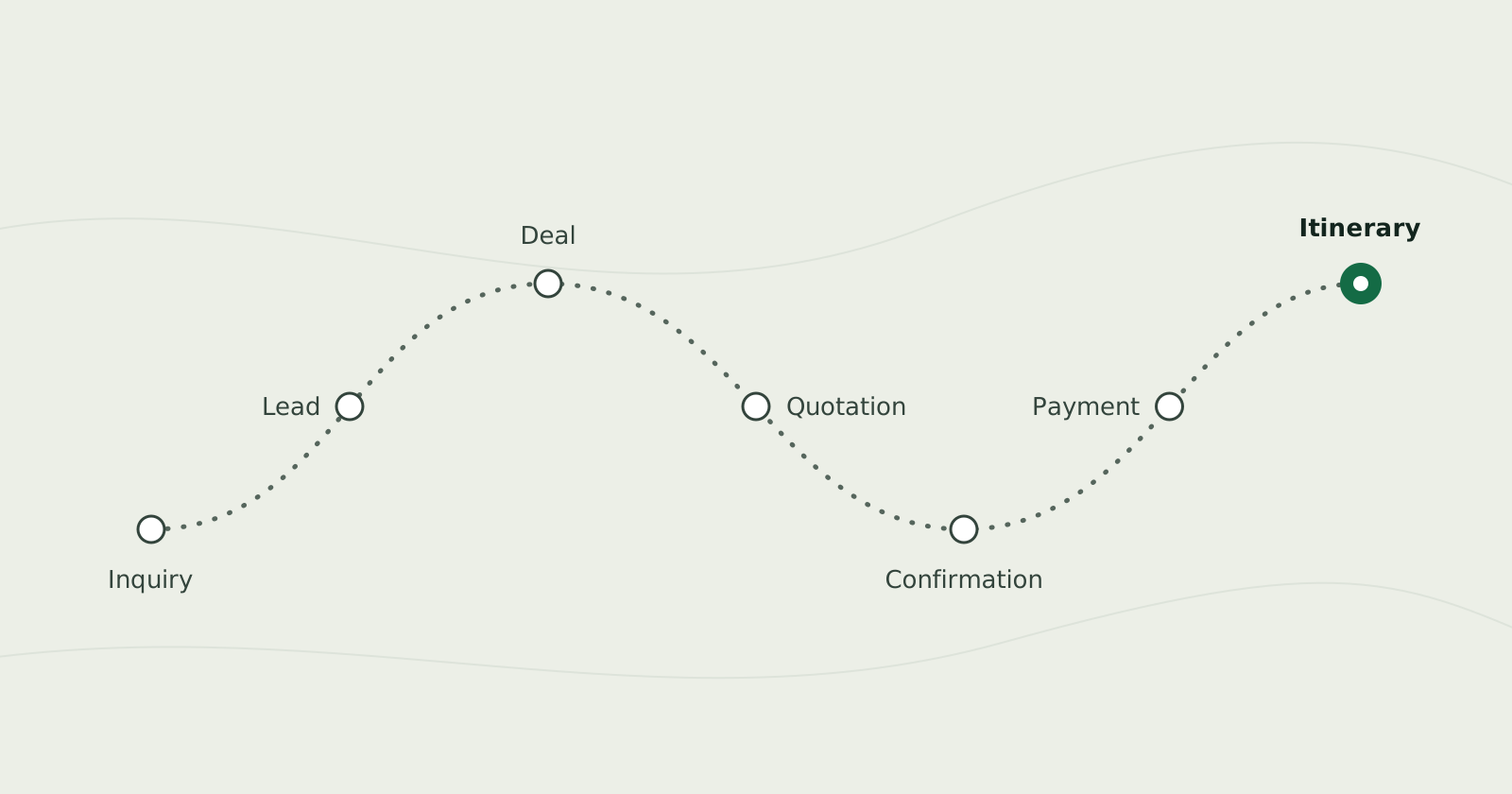
We built a travel company's booking system on Zoho CRM, from first inquiry to quotation, payment and final itinerary, with customer emails automated.
- Client
- Travel and tourism booking business
- Our role
- Zoho implementation
- Year
- 2025
- Category
- Travel / Zoho
Where the client started
The business handled inquiries from several channels, and prepared quotations and followed up with customers by hand.
The problem
Quotations took hours to put together, follow-ups could be missed, and management had no real-time view of leads, sales or agent workload.
The goal
One platform that carries every customer from first inquiry to final trip confirmation.
What we built
We implemented Zoho CRM as the central system. Every lead channel feeds into it, the deal pipeline routes each part of a trip to the right agent, quotations are generated in one click through Zoho Writer and reviewed by an agent, and every customer email is sent automatically. Zoho Books, Desk, Analytics and other Zoho apps handle payments, support and reporting around it.
How the system works
Each stage in the order the work happens, with what it does and screens from the system.
Inquiries and leads
Every inquiry, from any channel, becomes a CRM lead that records what the customer wants.
Every channel into CRM
Website live chat through Zoho SalesIQ, WhatsApp, email and phone inquiries are captured in Zoho CRM automatically, without manual entry.
WhatsApp and external channels
Zoho Flow connects WhatsApp and other external channels to CRM, keeping every conversation and lead in sync.
Website forms
Zoho Forms inquiry and special-request forms on the website feed straight into CRM as new leads.
What the customer wants
At first contact, each lead records whether the customer wants a full package or individual services such as tickets, a hotel stay or sightseeing.
Instant alerts
Zoho Cliq notifies the sales team as soon as a high-value lead or urgent booking request comes in.
Welcome email
A welcome email goes out automatically when a customer signs up.
Deals and agents
Each part of a customer's trip goes to the agent who handles that service, with the customer's history to hand.
Routing by service
A structured deal pipeline automatically routes each requirement — hotel, flights, itinerary or sightseeing — to the right agent for that service.
Customer history
Customer and account records keep a full history of each traveller's past inquiries, bookings and preferences.
Quotations
Branded quotations are generated from the deal in one click and checked by an agent before they go out.
- Generate quotation
- Agent review
- Email with PDF
One-click quotation
A Generate Quotation action pulls hotel, flight and sightseeing details from the deal into a ready-to-send quotation PDF.
Branded templates
Zoho Writer merge templates connected to CRM produce professional, branded travel quotations.
Agent review
Agents finalise each quotation before it is sent, so quality control stays in place without anyone building documents by hand.
Quotation email
The quotation is emailed to the customer automatically with the PDF attached.
Confirmation and payment
A confirmed package is accepted, booked and paid for, and the customer receives the final itinerary.
- Package confirmation
- Payment
- Final itinerary
Digital acceptance
Zoho Sign collects digital confirmation and acceptance on select high-value packages, reducing back-and-forth before final booking.
Package confirmation email
A confirmation email is sent automatically when the customer confirms a package.
Operation status tracking
Status tracking on every deal shows in real time whether the hotel is booked, tickets are confirmed and sightseeing is arranged.
Invoicing and payments
Zoho Books handles invoicing, payment tracking and account management once a customer confirms and pays for a package.
Final itinerary email
The final itinerary is emailed automatically after checkout and payment.
Consistent, branded emails
CRM email templates and workflow rules keep every automated message consistent and branded, with no manual follow-up.
Support and repeat business
After booking, customer support runs separately from sales, and past customers hear about new offers.
Post-booking support
Zoho Desk tracks customer queries, changes and cancellations after booking, separately from the sales pipeline.
Seasonal offers
Zoho Campaigns sends seasonal offers and re-engagement emails to past customers based on their travel history in CRM.
Reporting
Management sees leads, sales and agent workload in real time, from team dashboards to business-wide reports.
CRM dashboards
Custom dashboards and reports in Zoho CRM track lead sources, agent performance, deal conversion and revenue by package type.
Business-wide reporting
Zoho Analytics adds cross-module reporting that gives management a real-time view of overall business performance.
What it runs on
The products behind the system, and the job each one does.
Zoho CRM
The central system: leads, deals, customer records, email workflows, dashboards and reports.
Zoho SalesIQ
Website live chat that creates CRM leads.
Zoho Flow
Connects WhatsApp and other external channels to CRM.
Zoho Forms
Website inquiry and special-request forms that create CRM leads.
Zoho Cliq
Alerts the sales team to high-value leads and urgent booking requests.
Zoho Writer
Branded quotation PDFs from merge templates filled with deal details.
Zoho Sign
Digital acceptance of select high-value packages.
Zoho Books
Invoicing, payment tracking and account management.
Zoho Desk
Post-booking queries, changes and cancellations.
Zoho Campaigns
Seasonal offers and re-engagement emails to past customers.
Zoho Analytics
Cross-module reporting on overall business performance.
Challenges
- Capturing inquiries from live chat, WhatsApp, email, phone and web forms without manual entry
- Routing each part of a trip — hotel, flights, itinerary, sightseeing — to the right agent
- Automating quotations while keeping an agent's review before anything is sent
- Keeping every customer email consistent from signup to final itinerary
Results
- Quotation turnaround reduced from hours to minutes, with every quotation still reviewed by an agent
- No manual follow-up gaps: every customer message from signup to final itinerary is automated
- Real-time visibility for management into leads, sales and agent workload
- A system that scales as the business adds agents, packages and service types
Building something similar?
Tell us about the problem and we will come back with how we would approach it.