Real estate / Zoho
Zoho CRM Lead Management for a Real Estate Sales Company
We automated a real estate sales company's lead journey in Zoho CRM, from multi-channel capture and fair assignment to deals, commissions and reporting.
- Client
- Real estate sales company, UAE
- Our role
- Zoho implementation
- Year
- 2025
- Category
- Real estate / Zoho
Where the client started
The company's leads came from ads, its website, property events, cold calls and channel partners, and each one had to reach the right sales agent quickly.
The problem
Handling leads by hand meant manual data entry and the risk of missed or unattended leads, and commissions and incentives were worked out manually, which invited errors.
The goal
Connect the complete business process in a single workflow, from lead generation through verification, assignment, follow-up, deals, finance and commissions to reporting.
What we built
We built the sales operation on Zoho CRM. Leads from every channel land in one CRM, linked to their campaign or source. They are assigned to agents automatically, must be accepted or acted on within a set time, and are reassigned when no one acts. Qualified leads become deals, and closed deals flow into finance, commission and incentive tracking, with WhatsApp notifications, role-based access and dashboards throughout.
How the system works
Each stage in the order the work happens, with what it does and screens from the system.
Lead sources and campaigns
Leads from every channel land in one CRM, tied to the campaign, event, caller or partner that produced them.
Centralized lead management
Every lead is captured in one CRM and tracked from the moment it enters the system until conversion.
Multi-channel lead capture
Leads from Meta, Instagram, Google Ads, website forms, events, cold calls and channel partners are collected automatically, so no lead is missed.
Ad platform integration
Meta and Google Ads leads come into the CRM automatically and are linked to the right campaign for performance tracking.
Website integration
Website enquiries become CRM leads automatically, with their campaign, project and customer details.
Campaigns and sub-campaigns
Marketing activity is organised into campaigns and sub-campaigns, with leads, agents, performance and conversions tracked separately for each.
Event leads
Leads from exhibitions, property events and other offline activity have their own rules for assignment, availability and follow-up.
Cold calls
Leads from outbound calling are managed separately from digital leads, with their own assignment, follow-up and progress tracking.
Channel partners
Partners are managed from registration and approval to lead submission, each with a profile, lead history, performance data and documents.
Partner lead tracking
Every lead records the partner that sent it, and its journey is followed through qualification, conversion and deal closure.
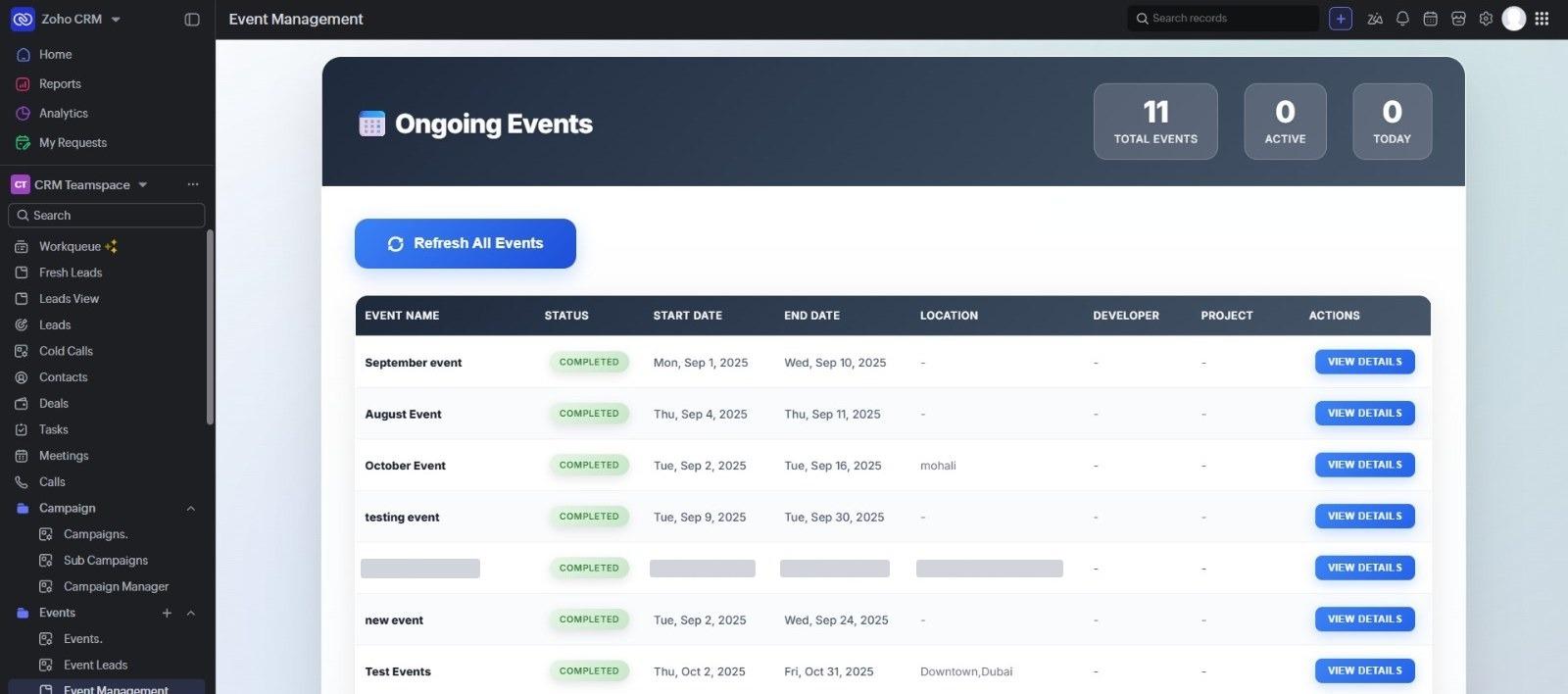
Events with their status, dates and locations. Includes test events; one event's name, dates and location are hidden.Open full size: Event management screen in Zoho CRM listing events with status, start and end dates, location, developer and project, each with a view details button (opens in a new tab) Verification and assignment
New leads are verified and shared out among agents automatically, and no lead is left waiting.
Automated lead assignment
New leads are distributed among sales agents by configurable round-robin and assignment rules, so they are shared fairly and quickly.
Lead verification and SLAs
Agents must accept or act on each new lead within a set time, and the system tracks response times.
Automatic reassignment
If an agent does not respond, rejects a lead or skips the required process, the lead can be reassigned to another available agent automatically.
Telecaller verification
Unverified, abandoned, spam or unreachable leads go to telecallers, who record the outcome and return valid leads to the sales process.
Real-time notifications
Users are notified of new assignments, missed SLAs, reassignments, new tasks, approval requests and deal updates.
CRM-to-CRM sync
Lead, assignment, status and activity information is kept consistent between Zoho CRM and external CRMs such as Prosper CRM.
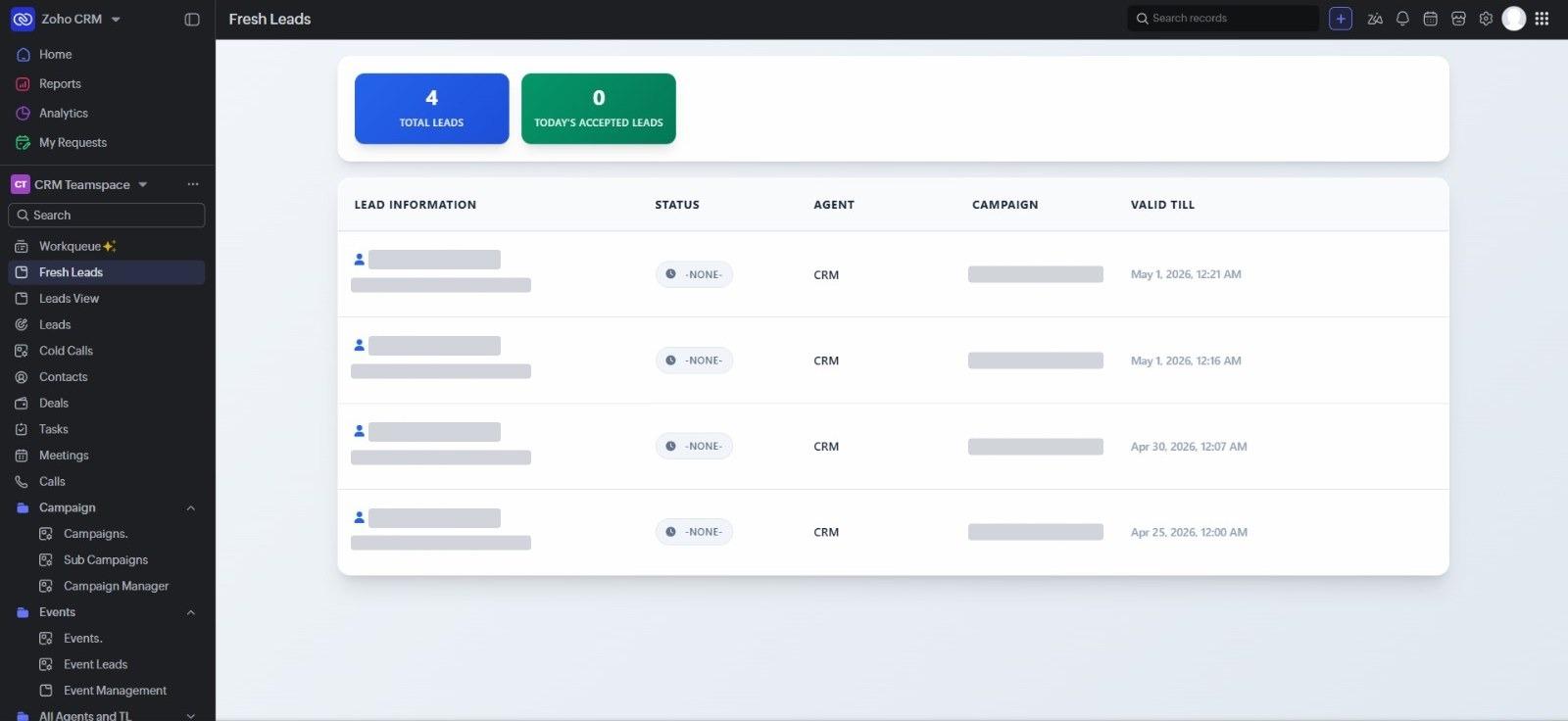
Fresh leads, each with the time it is valid until. Lead names, email addresses and campaign names are hidden.Open full size: Fresh leads screen listing new leads with status, agent, campaign and the time until which each lead is valid, with lead names, email addresses and campaign names covered (opens in a new tab) 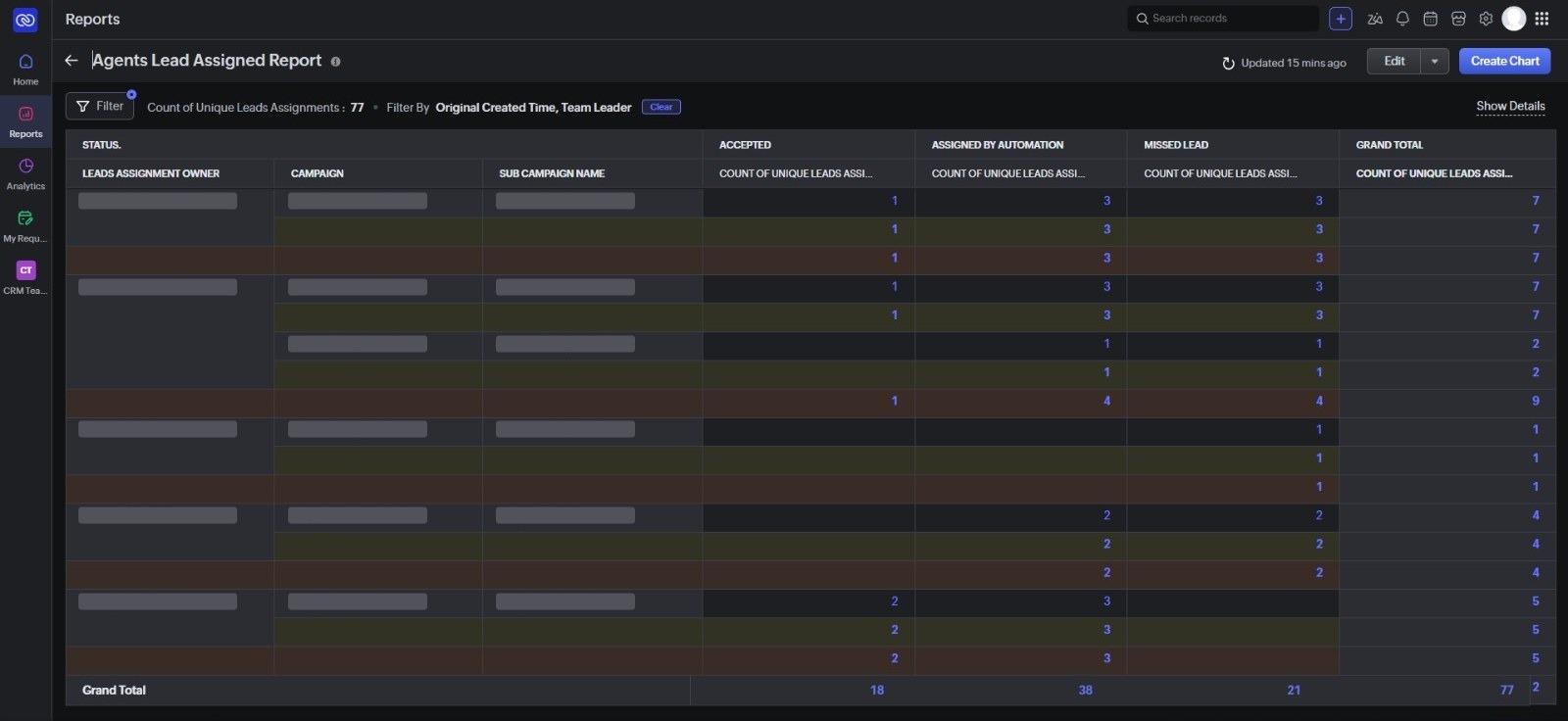
Leads accepted, assigned by automation and missed, by agent and campaign. Agent and campaign names are hidden.Open full size: Agents lead assigned report counting, for each agent and campaign, leads accepted, assigned by automation and missed, with agent and campaign names covered (opens in a new tab) Follow-up and deals
Agents work their leads through calls, meetings and site visits, and qualified leads become deals.
Tasks and follow-ups
Calls, meetings, callbacks, site visits and other follow-ups are created and managed in the CRM, with automated reminders.
WhatsApp automation
WhatsApp is connected to the CRM to send automated messages to customers, agents and others about assignments, follow-ups, reminders and updates.
Sales and deal management
Qualified leads become contacts and deals with their full interaction history, and teams track deal stages, follow-ups, documents and closure.
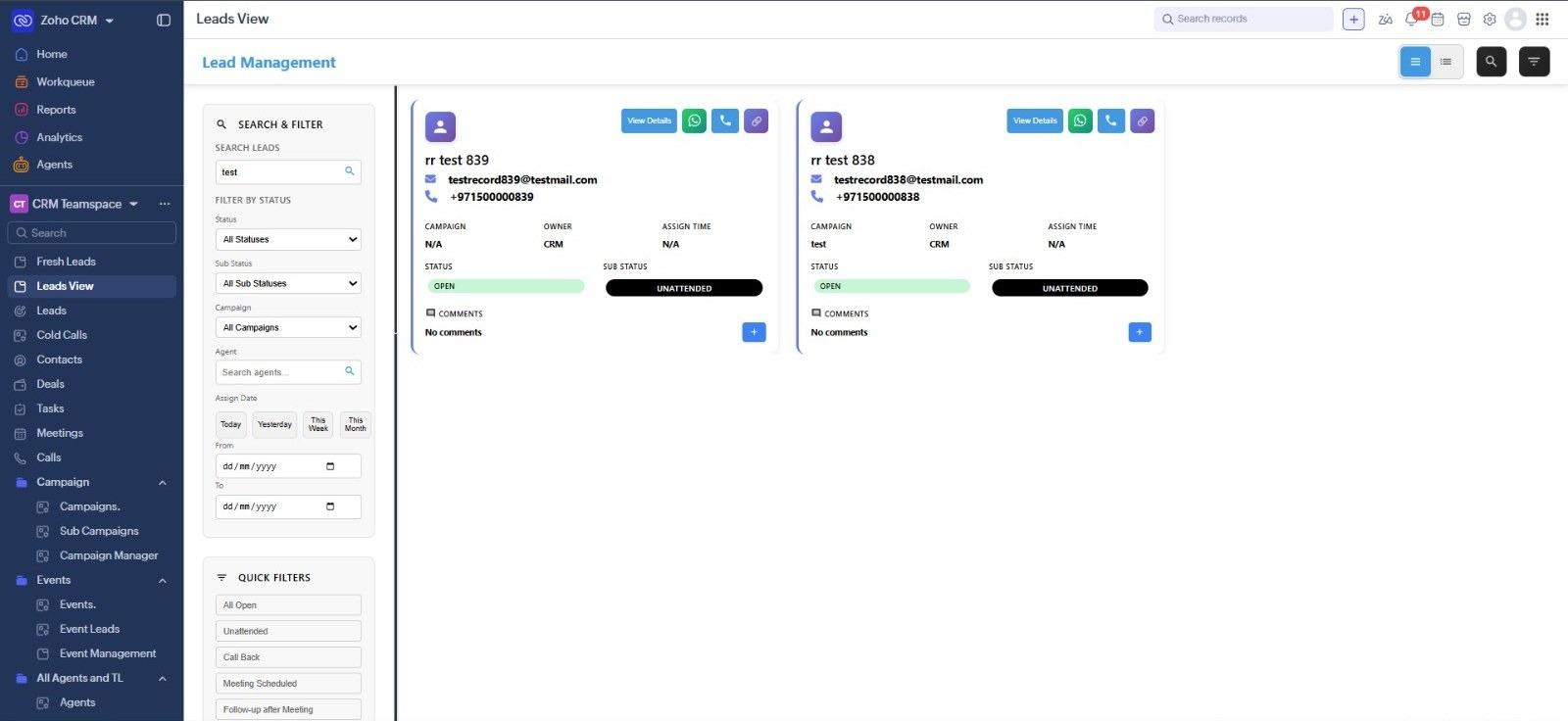
Lead cards with status and sub-status, and quick filters for follow-up stages. Shown with sample data.Open full size: Lead management screen in Zoho CRM with search and status filters, quick filters such as call back and meeting scheduled, and lead cards showing campaign, owner, status and sub-status (opens in a new tab) Finance and commissions
Closed deals carry their payments and commissions, and incentives are calculated by rule.
Finance and commission tracking
Payments, commissions, approvals and pending amounts are tracked against each closed deal.
Automated incentive calculation
Commissions and incentives are calculated from configurable rules such as fixed percentages, slabs or performance tiers, reducing manual calculation and errors.
Reporting and control
Managers see performance and spend by campaign, channel and team, while access rules and an audit trail apply at every stage.
Performance analytics
Dashboards and reports cover lead volume, conversion rates, agent and campaign performance, response times, revenue and overall sales.
Cost per lead
Advertising spend is tracked against leads generated to show cost per lead by campaign, channel, team and source.
Role-based access
Administrators, managers, sales agents, telecallers, receptionists and channel partners each get only the information and functions their role needs.
Audit trail
Important actions are recorded, so managers can see who changed a lead, when, and what they did.
What it runs on
The products behind the system, and the job each one does.
Zoho CRM
The central system: leads, campaigns, assignment and SLA rules, deals, finance, commissions, dashboards and audit history.
WhatsApp
Automated notifications and messages to customers, agents and other stakeholders.
Meta and Google Ads
Advertising leads brought into the CRM automatically and linked to their campaigns.
Company website
Enquiries turned into CRM leads with campaign, project and customer details.
Prosper CRM
External CRM kept in sync with Zoho CRM for leads, assignments, statuses and activity.
Challenges
- Sharing leads fairly and quickly across agents, with separate rules for events
- Making sure no lead is left unattended, and reassigning it when an agent does not act in time
- Following each channel partner's leads all the way to deal closure
- Keeping Zoho CRM and Prosper CRM consistent for leads, assignments, statuses and activity
- Calculating commissions and incentives from percentages, slabs and performance tiers without manual errors
Results
- Every lead tracked from the moment it enters the system until conversion
- Leads shared out fairly and quickly, and reassigned automatically when agents do not respond
- Less manual data entry, with leads from every channel captured automatically
- Commissions and incentives calculated by rule instead of by hand
- Cost per lead and performance visible by campaign, channel, team and source
- One connected workflow from lead generation to deals, finance, commissions and reporting
Building something similar?
Tell us about the problem and we will come back with how we would approach it.